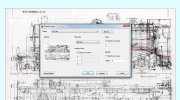
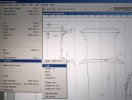
Interesting, I don't have an insert function, only import (3D object biased) or attach and that has no scaling function other than the overall size when you actually place it in the workspace.
Slow on getting back to this, but I could have used different words. I know that you have a different process, so this is just here for reference at this point.
The workflow would be:
Imageattach (insert the image) --->
Block (or I prefer
Wblock, so the block definition is available for use in any file) --->
Insert (pick the block you've just created, check or uncheck the appropriate boxes for scaling, enter)
I was able to scale the block in only 1 axis, and explode it afterward without any issues.
Regarding scaling with precision when the size of the image doesn't scale in real-time., I suggest you try scale by reference. It takes all the guess work out of the process when an exact scale factor isn't known. There is a similar function for rotating by reference which is just as effective.
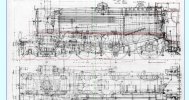
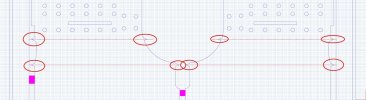
The workflow in this case would begin by drawing a reference line that passes through the base point, in the example above I would use the railhead for heights or the centerline of one driver for lengths (1). Offset that line through the next reference point on the drawing, here it would be through the smokebox door center (2) or the centerline of the next driver. Then offset the first line a second time, by the desired final distance once scaling is complete (3).

Execute the command by selecting the intersection points between the three horizontal lines and the vertical reference line:
Scale -->
Reference -->
Select base point (1) -->
Select the first reference point (1, again) -->
Select the second reference point (2) -->
Specify the new length (3)
The process can be used to scale things up or down from the starting size. When complete, the image should be resized so that the centerline of the smokebox door is the proper distance from the railhead.
Another issue to keep in mind, although you haven't mentioned it here, is that attached images or pdf's will behave differently for refreshes during commands, or panning, orbiting, and zooming, depending on the the display mode at the time. If I remember correctly, in any of the shaded modes, images will appear as blank sheets during manipulation of the object or view. I seem to recall that the image remains visible under the same operations when in 2D Wireframe. I'll have to double check that tomorrow.
Hope that helps. A video would be better, but I'm limited at the moment by the fact that my access to Autocad is on a work computer, while my recording software is on my personal laptop. Currently, and regrettably, never the twain shall meet.



 ) and staff on the Watercress who facilitated access all areas and answered dozens of questions.

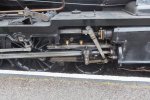
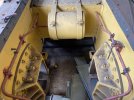
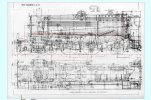

 . The vertical line is rail head to boiler centre line, the horizontal is connecting rod length.


 .
.